
Build a plan that balances
Choose a guided, zero-based or track-and-learn setup. Turn income and priorities into a budget you can understand.

Alfie Budget
Make a balanced plan. See what is safe to spend. Build a routine you can keep coming back to.
iPhone · iPad · Mac
Current product information and availability on the Alfie website.
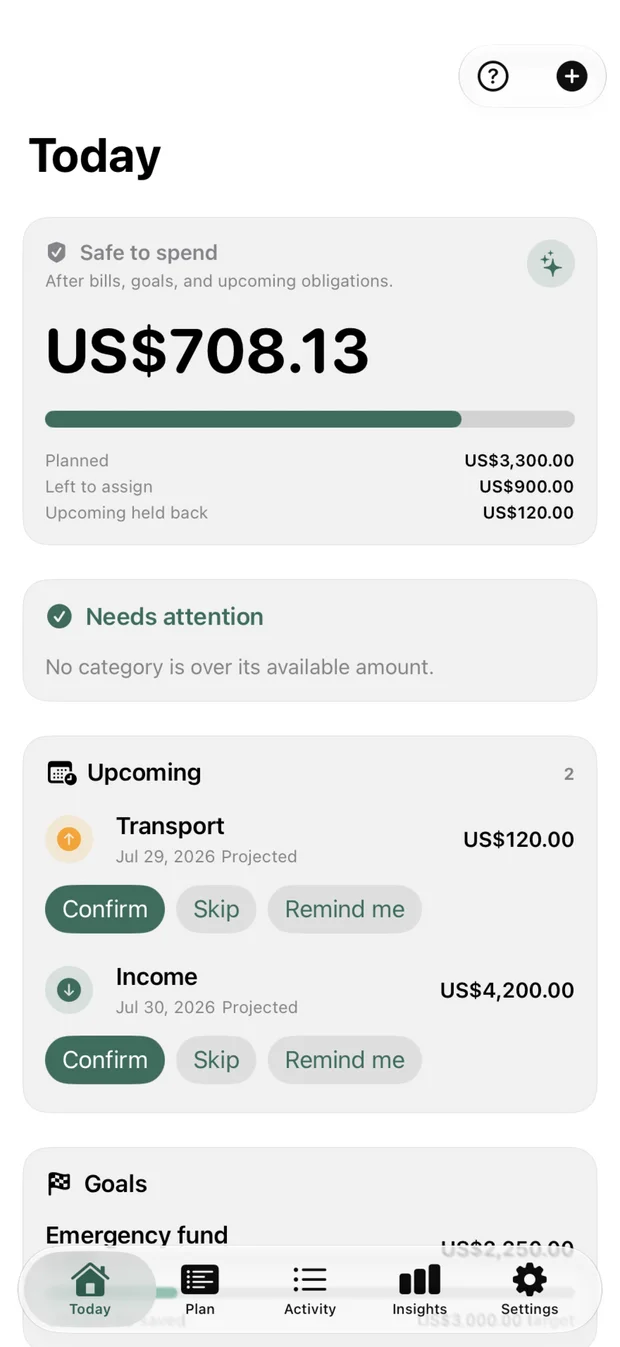
Start with your income and priorities, then use the same clear screens to record spending and review progress.
Set your currency, budgeting style, income, priorities and categories.
Review the budget and the dashboard you will use each day.
Record spending, review category progress and adjust when life changes.
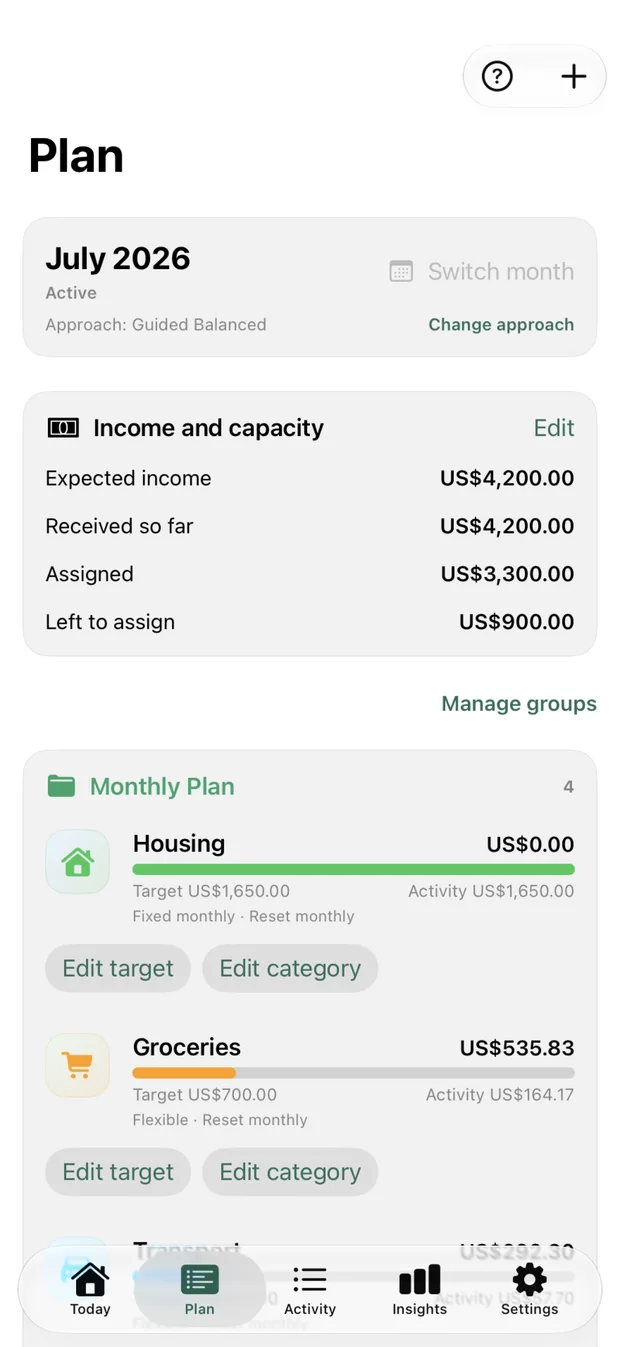
Give your income a purpose.
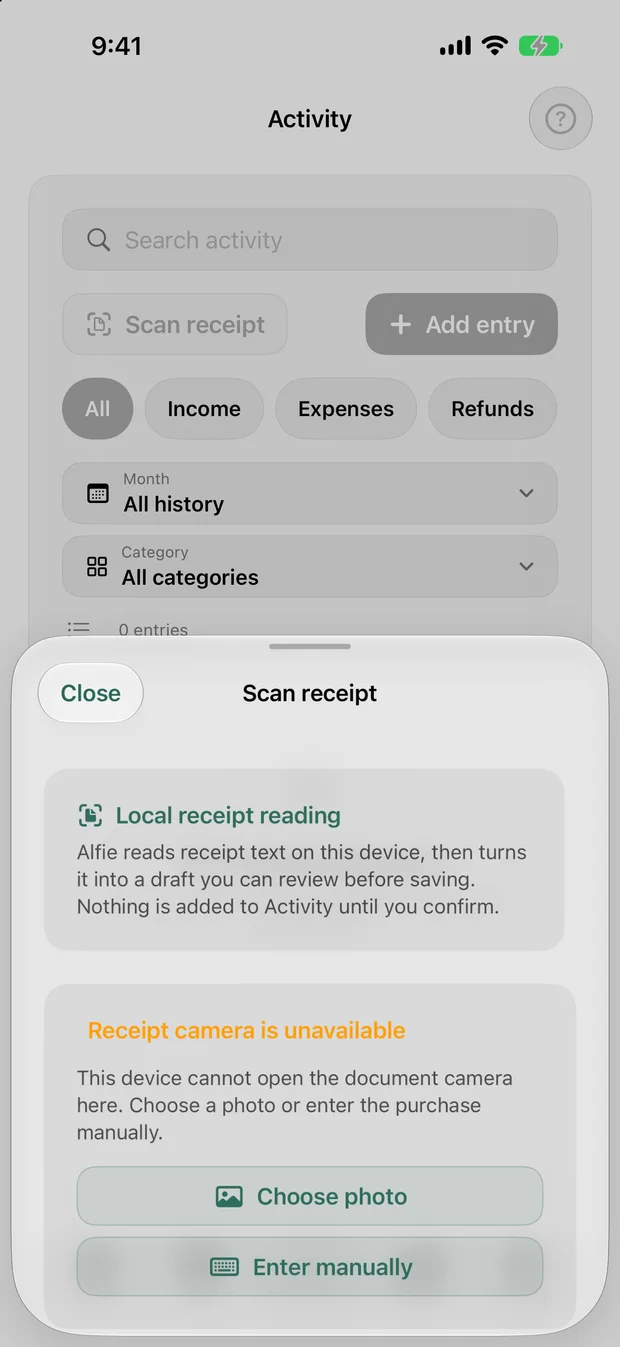
Camera unavailable: choose a photo or enter the purchase manually.
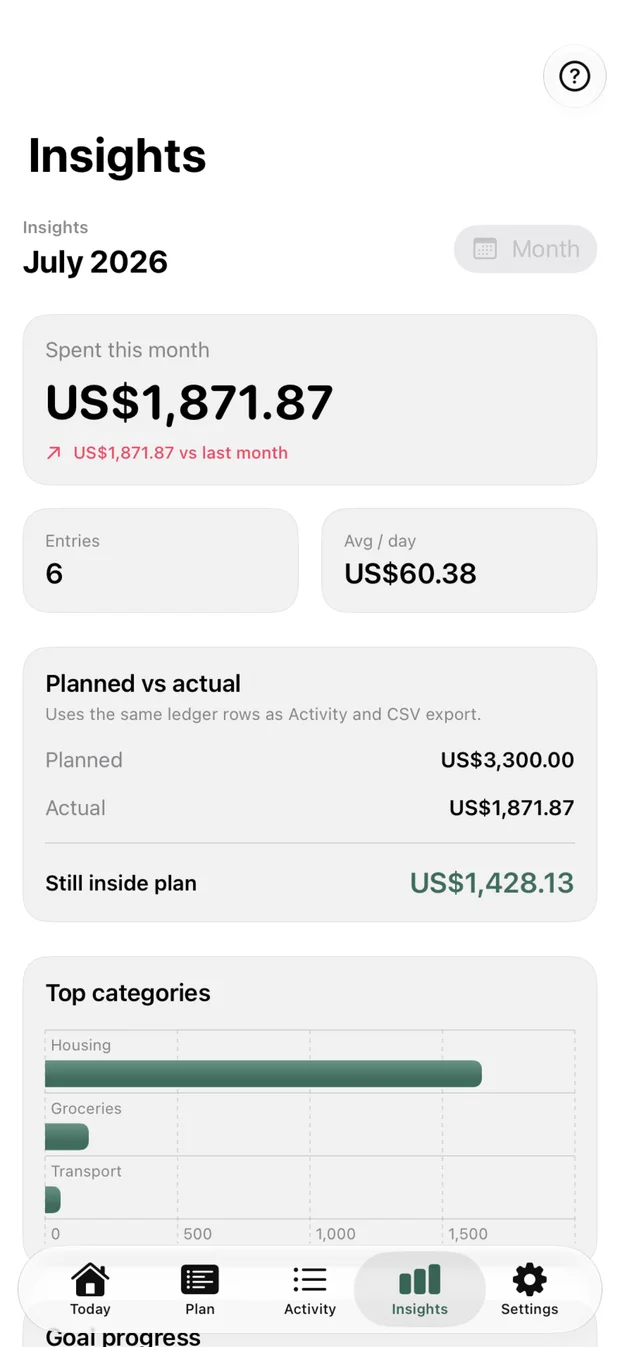
Understand what changed.
Choose a guided, zero-based or track-and-learn setup. Turn income and priorities into a budget you can understand.
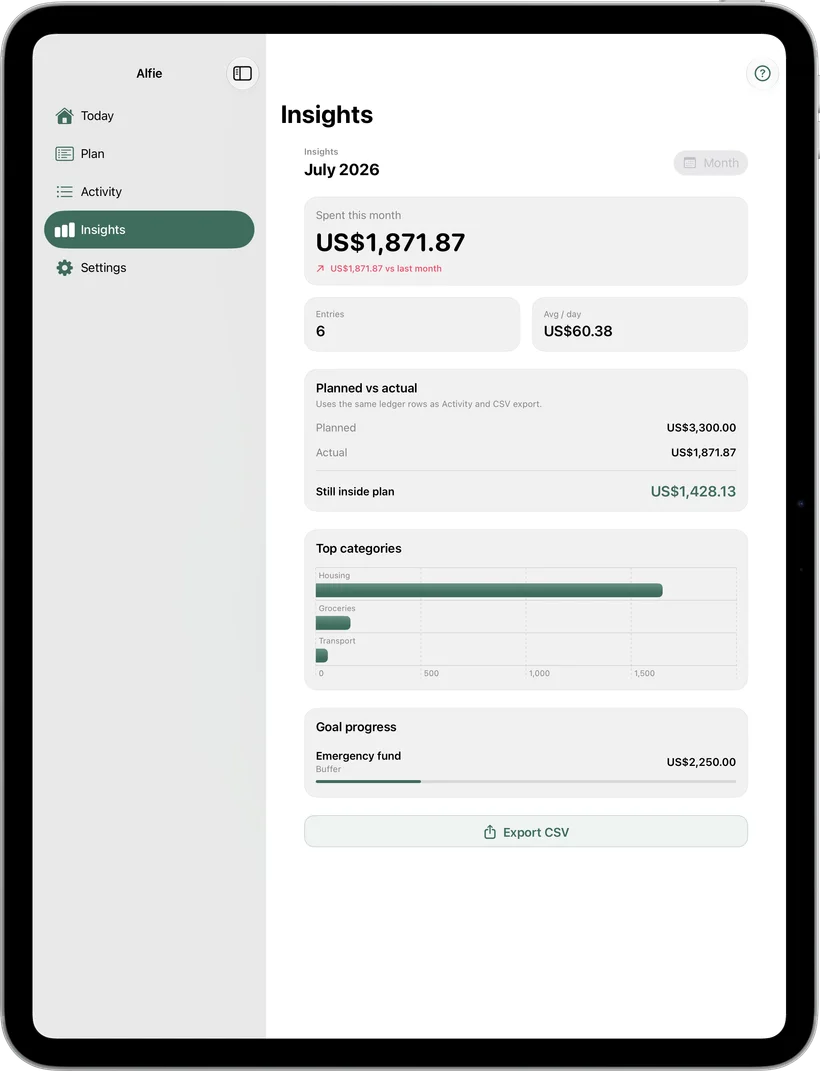
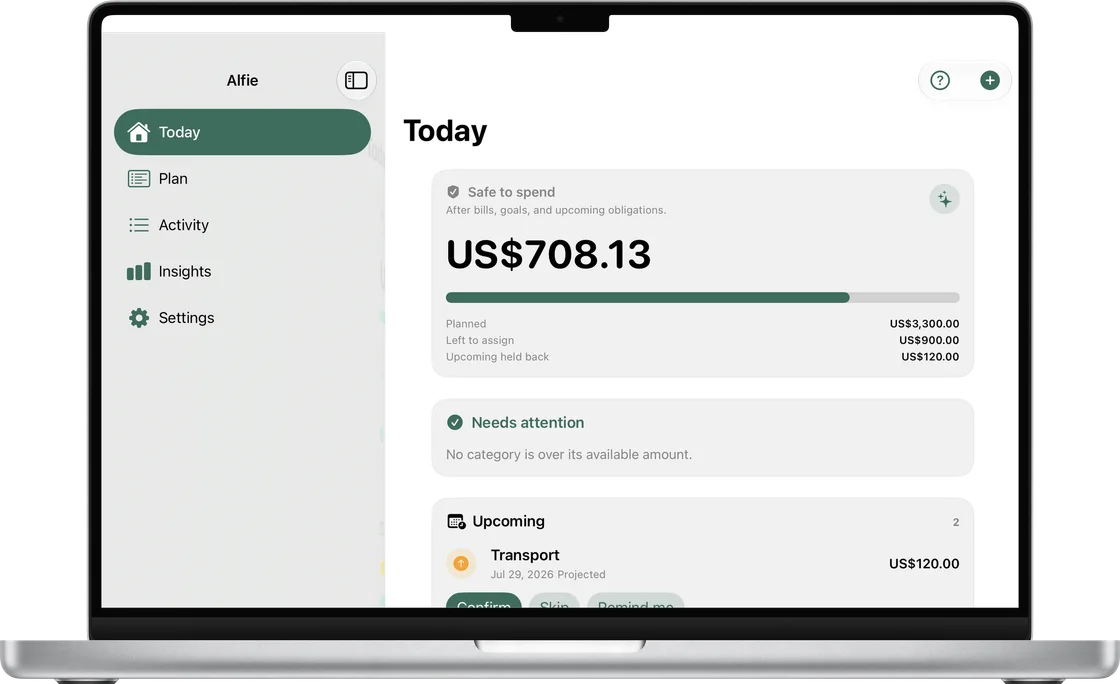
Today, Plan, Activity and Insights bring your spending position and category progress together.
Receipt recognition happens on device. Check the merchant, date, total, currency and category before confirming the expense.
Alfie is designed without bank connections, advertising profiles or third-party analytics. Your budget stays on your devices and in private iCloud.
A compact daily view on iPhone and more space to review on iPad and Mac. These are captures from the Alfie app.
Alfie has no account service or bank integration. Receipt recognition runs on your device, and optional Face ID protection is handled by the operating system.
Read the policy for data handling, sync and your choices. If you need help, share only the information necessary to explain the issue.
Find the current Alfie product information and availability on its own website. Already using Alfie? Our support guide covers purchases, sync, receipt capture and privacy.